Work Map
A map of a software build that shows which parts are nearly done, which are stuck, and what's waiting on review.
What it does
A software build with a few repositories and a steady stream of tickets gets hard to follow. GitHub shows you lists. It doesn't tell you which part of the project is nearly done and which part hasn't moved in a fortnight.
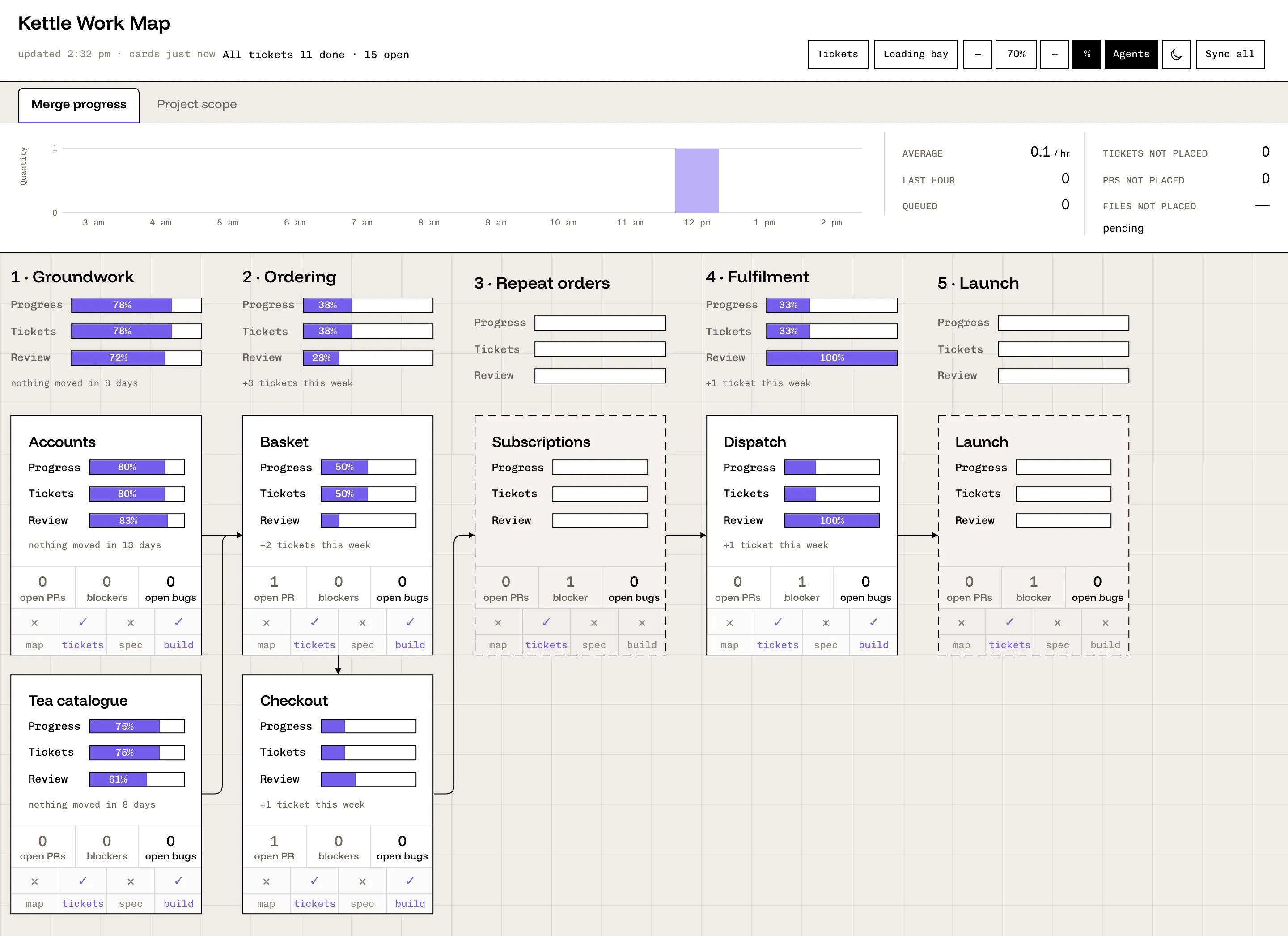
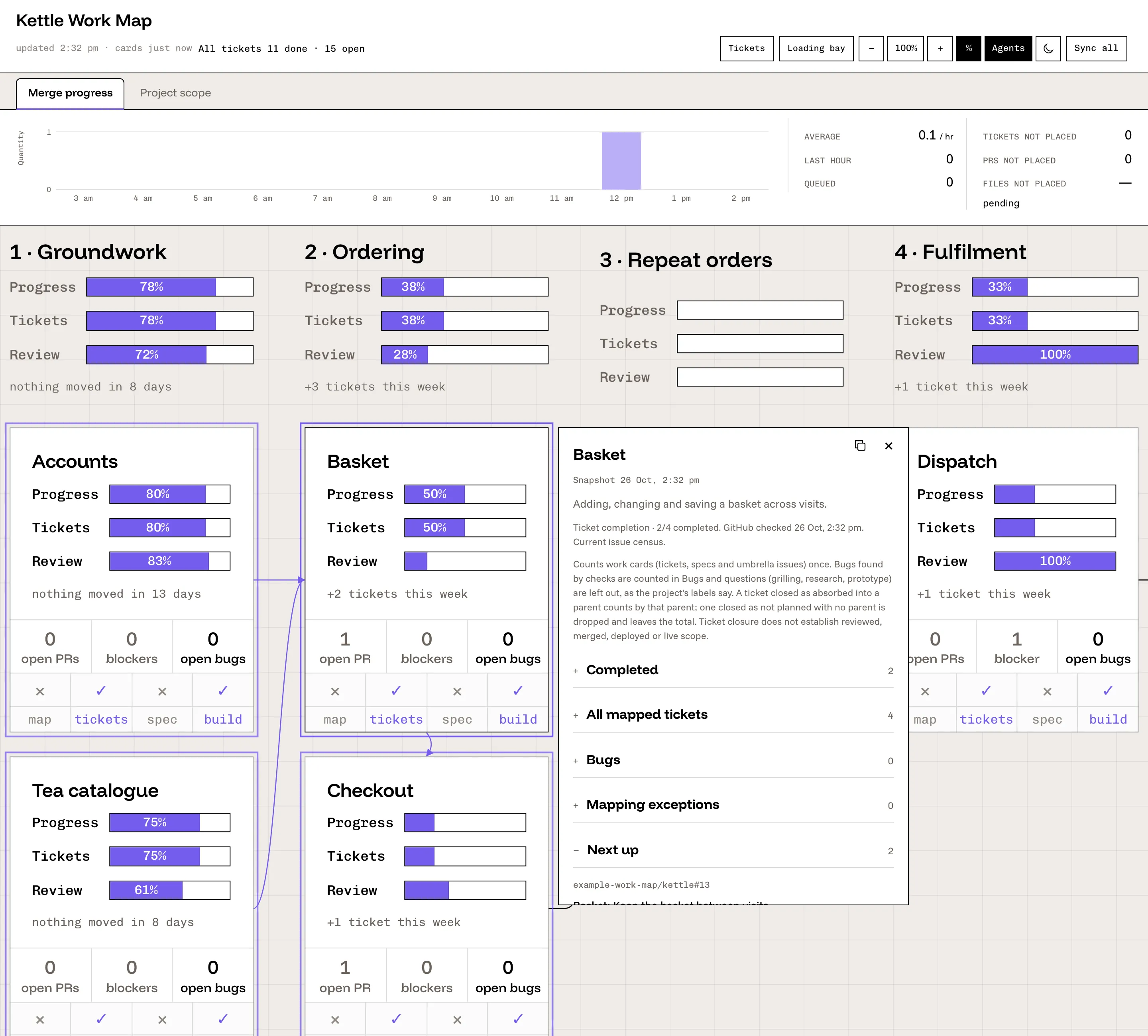
Work Map draws that picture. You describe your project once: its stages, its sections, and which repositories belong to it. The map then reads your issues and pull requests and puts each one on a card for its section. Every card shows how much is done, how much of the changed code was reviewed, and what's open or blocked. A strip across the top shows the whole project's progress and the merges from the last twelve hours.
It's for anyone running a build who wants to see where things stand at a glance, without opening twenty tabs. It runs on your own Mac, only reads from GitHub, and never changes anything there.
Work Map is a local, read-only dashboard for a GitHub project. The project's roadmap repository holds the config: project.json names the repositories, labels and ticket placement rules, and flow.json lays out stages and section cards as a diagram. docs/config.md covers every field.
The code splits into four parts. src/readers/ reads GitHub's GraphQL API through the gh CLI under your own login, plus the roadmap files. src/core/ is pure logic that turns those reads into two read models, snapshot.json and agents.json, both specified in CONTRACT.md. src/cli/generate.ts runs the collectors, and src/cli/serve.ts serves the built page and the data files on 127.0.0.1 only, refusing requests addressed to any other host or sent from other sites. src/web/ is a React 19 page, built with Vite, that polls those files and redraws in place, with pan, zoom and a details panel per card.
Node 24 runs the TypeScript sources directly, so the server has no compile step. ops/install.sh adds three launchd jobs: the server, a GitHub read every five minutes and a local read every 45 seconds.
It is careful with GitHub's hourly budget of 5,000 GraphQL points per login. The five-minute read costs about one point, Sync reads only what changed, and every read stops when fewer than 1,000 points are left. Each read's cost goes to runs.jsonl.
The repository ships a made-up demo project, Kettle, with a recorded GitHub read, so it runs without a login. Tests use Vitest, with Playwright's Chromium and WebKit for the browser checks. Licence: AGPL-3.0-only.
Install it and start it
Install
git clone https://github.com/LaunchAstro/work-map.git
cd work-map
pnpm install --frozen-lockfile
pnpm build
From README.md at 80397ad
Start
sh examples/demo/run.shFrom README.md at 80397ad